Category: News

0

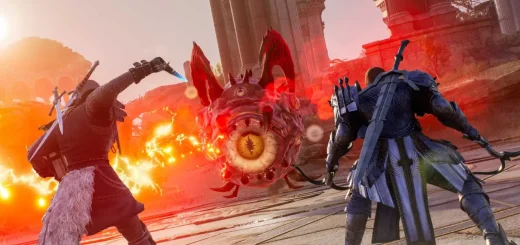
Best Crossbow and Dagger DPS Build for Throne and Liberty

Welcome to our Throne & Liberty Crossbow and Dagger build. This DPS build has excellent single-target burst damage, making it ideal for PvP. It also does good DPS in PvE content, and is effective at either close or long range. For a full overview of all builds please visit the Throne and Liberty Builds Database. […]
The post Best Crossbow and Dagger DPS Build for Throne and Liberty appeared first on AlcastHQ.

0

Breadcrumbs (1.1)

Change Log:——————–v1.1- Fixed bug related to importing lines into unvisited zonev1.0- Released addonDescription:——————–Elm’s Markers but for lines instead of icons.Allows for the creation, use and sharing of custom lines anywhere in any colour. Useful for raid groups in both dungeons and trials.Requires LibAddonMenu2How to draw lines?Create lines using /breadcrumbs or using the shapes section in the addon settings.Specific instructions can be found under the draw lines heading in the settings menu. If you encounter issues with the addon please let me know. I would love to fix them!Thank you to Kyzeragon, Baertram, Lamierina7 and bitrock.

0

AutoGuildWelcome Revised (1.0)

Updated Version of AutoGuildWelcome by Phobus11* Removed LibStub dependency* Removed embedded libraries

0

Link My Bars (1.0.0)

Links your bar skills, champion points and mundus in chat for easily sharing build info.Commands/lmb – Links your bar skills./lmc – Links your champion slots and mundus.Cheers,Neug

0

Less Bling Golden Pursuits (1.0)

Changes the main menu Group icon back to normal colours.New Golden Pursuit campaigns and unclaimed rewards will still show a (!) indicator.Note: The golden effect in the Group menu for Golden Pursuits isn’t changed yet. It’s harder to change this and especially to not potentially mess with other parts of the UI in future.

0

Guild Auto Note (1.0.0)

Currently in Test – Only French supportedAjoute automatiquement une note lorsque que quelqu’un rejoint la guilde suite une candidature accepte. LA note contient la date d’ajout et le nom du compte qui a accept la candidature. Un texte personnalis peut-tre ajout dans les rglages. La guilde cible doit tre dfinie dans les rglages.Dans la fentre de guilde, il faut activer l’addon pour que l’ajout de note fonctionne (l’addon est dsactiv par dfaut et se dsactive lorsque vous quittez la fentre de guilde)–When someone apply to your guild, a note is automatically added with the date, the display name of the account that has accepted the entry and a custom text that you can defined in the settings. Choose the guild where it must be applied in settings. In the guild member panel, activate the addon to be sure it’s working (addon is deactivated by default and is deactivated each time you exit the guild panel)

0

GammaScry (1.0)

Description:The builtin Antiquities UI is not very helpful sometimes, and there are other addons helping with this issue, e.g. my previous one called BetaScry. GammaScry takes a different, intentionally minimalistic approach. The goal is to provide the user with a very simple interface – two dropdowns – to control the grouping and sorting of the lead list in the Antiquity Journal. Scope:In the current version you can group the leads by – Leads – similar to the original view with sorting options- Difficulty Up and Down – order by the lead quality- Type – groups similar types together, such as Furniture- Zone – groups leads from the same zone togetherYou also have the ability to sort alphabetically, by difficulty, or by expiry time inside these groups.Bugs and missing features:The first version I upload here is functional, however some localisation might be missing. Also, while I tried to test this in depth, there might be some bugs in the code.Compatibilty:I am not aware of any compatibility issues, however my assumption is that addons with similar functionality might clash with GammaScry. If you observe any unusual behaviour, try to switch off other Scrying addons, and if the error persist, please leave a comment here (ESOUI)Modding:I aimed to create a modder friendly codebase, with ample comments and mod friendly design approach. Please check the code if you would like to extend the options offered by GammaScry. (fyi DeltaScry would be the next logical name… 🙂 )


0

CustomEmotes – Create your own emotes (1.0.0)

Custom Emotes Addon for Elder Scrolls OnlineUnleash your creativity with the Custom Emotes addon! Create, edit, and share your own emotes by combining parts of existing animations into unique sequencesall packed into a single, easy-to-use command.Key Features:Create Unique Emotes: Combine actions from multiple emotes to craft your own unique animations.Preloaded Emotes: Jump right in with fun, preloaded emotes for inspiration:/wavehands – Wave your hands like you just don’t care!/tantrum – Throw a hilarious tantrum like a toddler!/danceall – Dance like nobody’s watching… from every race!/pointconfused – Hopelessly lost and pointing everywhere!/extremefacepalm – Oops! That didnt go as planned!/exercise – Get fitor at least pretend to!Share with Friends: Export and import emote codes to share your creations with others.Safe and Customizable: Built-in validation prevents game crashes from infinite loops, and customizable commands make it your own.How to Use:Open the Menu: Use `/ce` (default) to access the addons menu. Change the default command if needed via the settings.Execute Custom Emotes: Use `/ce {emoteName}` to run your custom emotes. For example, `/ce wavehands`. This prevents conflicts with existing game commands.Menu Breakdown:Settings:Default Command: Customize the `/ce` command to your preference.Auto-Create Commands: Automatically generates a command for each custom emote (enabled by default).Logic Validation: Prevents creating invalid logic that could crash your game (enabled by default).Reset Addon: Restore all settings and preloaded emotes.Delete All Emotes: Clear your custom emotes in one click.Emote List:View all your saved custom emotes. Easily delete, edit, or export emotes to share with friends.Emote Editor:Design your custom emotes with a simple interface:Name and Describe: Start with a unique name and description.Add Actions: Choose from these action types:Start Emote: Add a specific emote animation.Wait For: Pause for a specified duration (milliseconds).Jump To: Skip to another action in the sequence.Restart: Return to the beginning of the sequence.Repeat From: Loop a section of actions for a set number of times.Interrupt: Stop the current emote animation (use the force slider if needed).Preview and Save: Test your emote before saving. Overwrite existing emotes with confirmation if needed.Import Tool:Effortlessly recreate shared emotes:Paste the emote code, name your emote, and hit “Import.”Important Notes:Spamming Emotes: Avoid executing emotes too quickly to prevent being kicked from the game.Infinite Loops: Use caution when disabling validationimproper logic can lead to game crashes.Take your Elder Scrolls Online experience to the next level with Custom Emotes. Start creating today and express yourself like never before!