

Stickerbook Exporter (1.0.0)
Overview
Stickerbook Exporter lets you export your ESO stickerbook collection into a structured dataset and convert it into a clean, spreadsheet-ready table.
The addon collects your stickerbook data in-game and stores it in SavedVariables. A bundled Windows PowerShell script then converts that data into a .tsv file you can open in Excel, Google Sheets, or any spreadsheet tool.
Exported Data
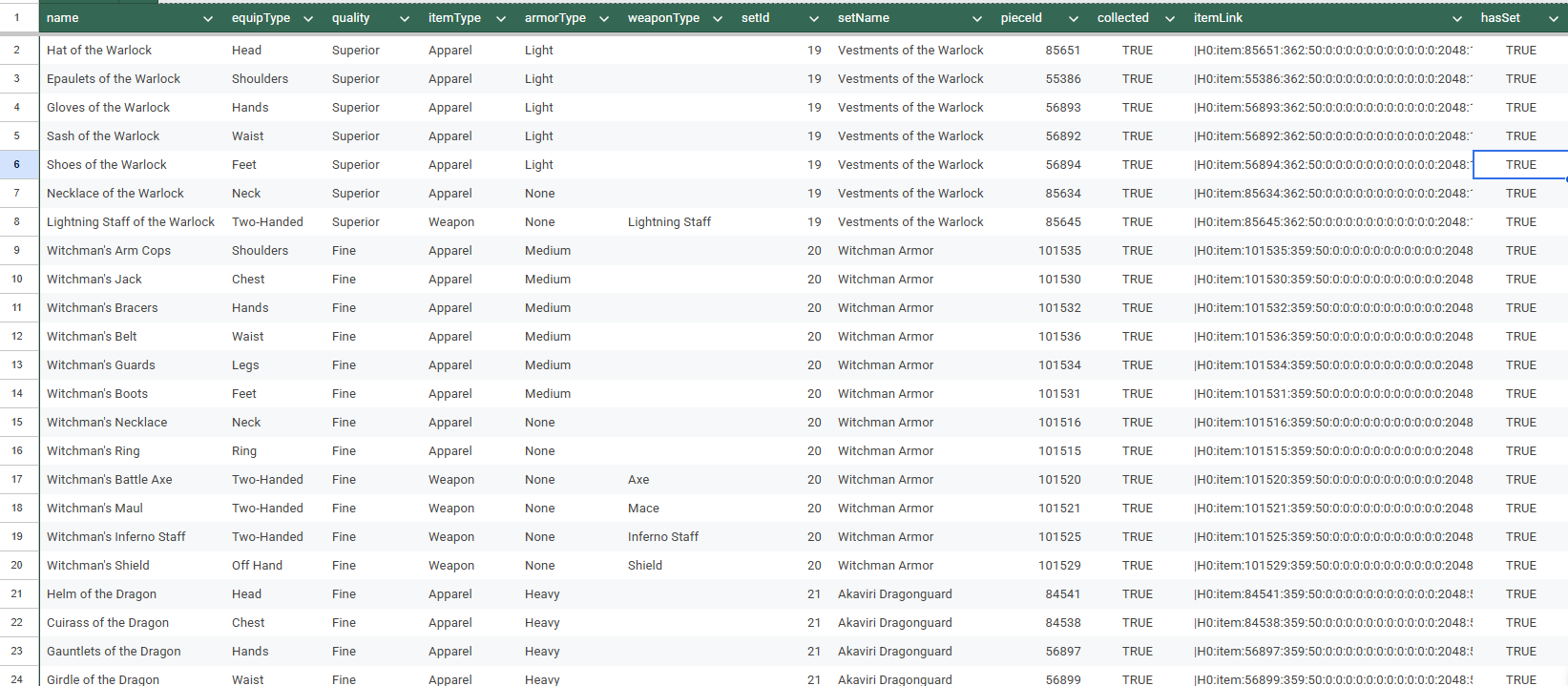
The final TSV includes the following columns:
name
equipType
quality
itemType
armorType
weaponType
setId
setName
pieceId
collected
itemLink
This format is optimized for filtering, sorting, and building your own tracking sheets.
—
Features
Export collected stickerbook items only
Export all stickerbook items (including uncollected)
Clean, structured data stored in SavedVariables (no string size limits)
One-click export buttons in settings (with LibAddonMenu)
Built-in export summary:
total rows exported
collected vs total pieces
total sets scanned
Includes Windows helper script to generate .tsv output
Lightweight and fast (no UI overhead during export)
—
Commands
/sbexport
Run default export mode (configurable in settings)
/sbexportcollected
Export collected stickerbook pieces only
/sbexportall
Export all stickerbook pieces
/sbstats
Show last export summary
/sblog
Show last log entry
/sbdebug
Show debug info
—
How To Use
Run an export in-game:
/sbexport
Reload UI or log out:
/reloadui
Run the included PowerShell script:
StickerbookExporter_ToTSV.ps1
Your output file will be created here:
AddOnsStickerbookExporterStickerbookExporter_export.tsv
—
Requirements
LibAddonMenu-2.0 (optional)
Required only for the settings menu.
The addon works fully via slash commands without it.Notes
ESO addons cannot directly write arbitrary .tsv files.
This addon writes structured data to SavedVariables, then converts it using the included script.
Data is stored as structured rows (not a single large text block), avoiding common export size limitations.Version
1.0.0







