

LibMousePointer (1.0.0)
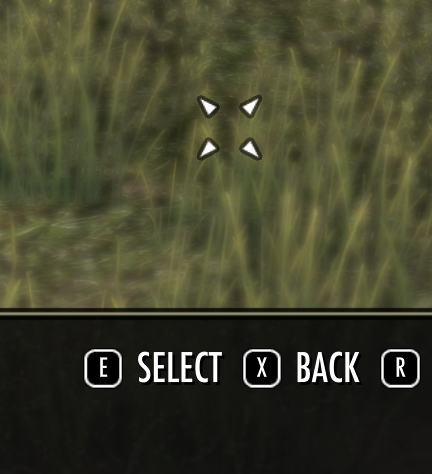
Description
Allows addon developers to add a mouse pointer surrogate to any scene.
Just add the fragment MOUSE_POINTER_FRAGMENT to your scene.
if the keybind UI_SHORTCUT_PRIMARY is unused in the KEYBIND_STRIP, the fragment also adds a keybind for “clicking” the left mouse button.
If the keybind is already used by your addon, you have to handle the click action on your own.
Remarks
I do not have a controller for testing. If you like to participate or send feedback, please feel free to do so.
https://cdn-eso.mmoui.com/preview/pvw15757.png
API
lib:ResetPosition()
Set the mouse back to screen center.
lib:GetCursorPosition()
returns x,y position of the mouse pointer.
lib:GetControlAtCursor(desiredHandlers)
returns a control or nil.
lib:InvokeClick(button, desiredHandlers)
Clicks the control found.
button is optional and defaults to MOUSE_BUTTON_INDEX_LEFT
desiredHandlers is optional and defaults to HIT_TESTING_DESIRED_HANDLERS_ANY.
* HIT_TESTING_DESIRED_HANDLERS_ANY
* HIT_TESTING_DESIRED_HANDLERS_MOUSE_WHEEL_ONLY
* HIT_TESTING_DESIRED_HANDLERS_RECEIVE_DRAG_ONLY
See WINDOWS_MANAGER:GetControlAtCursor()
Example
local fragment = ZO_SimpleSceneFragment:New(YourTopLevelControl)
local sceneName = “sceneName”
local scene = ZO_Scene:New(sceneName, SCENE_MANAGER)
local function modeChange()
local isGamepad = IsConsoleUI() or IsInGamepadPreferredMode()
if isGamepad then
scene:RemoveFragmentGroup(FRAGMENT_GROUP.MOUSE_DRIVEN_UI_WINDOW)
scene:AddFragmentGroup(FRAGMENT_GROUP.GAMEPAD_DRIVEN_UI_WINDOW)
else
scene:RemoveFragmentGroup(FRAGMENT_GROUP.GAMEPAD_DRIVEN_UI_WINDOW)
scene:AddFragmentGroup(FRAGMENT_GROUP.MOUSE_DRIVEN_UI_WINDOW)
end
if MOUSE_POINTER_FRAGMENT then
if isGamepad then
scene:AddFragment(MOUSE_POINTER_FRAGMENT)
else
scene:RemoveFragment(MOUSE_POINTER_FRAGMENT)
end
end
end
scene:AddFragment(UNIFORM_BLUR_FRAGMENT)
modeChange()
self.control:RegisterForEvent(EVENT_GAMEPAD_PREFERRED_MODE_CHANGED, modeChange)
scene:AddFragment(fragment)
local keybindButton = {
alignment = KEYBIND_STRIP_ALIGN_LEFT,
order = -1000,
name = GetString(SI_GAMEPAD_SELECT_OPTION),
keybind = “UI_SHORTCUT_PRIMARY”,
callback = function(keyUp)
LibMousePointer:InvokeClick()
end
}







