

CKS Custom Kill Sound – Killblow PvP Sound Effect (5.0)
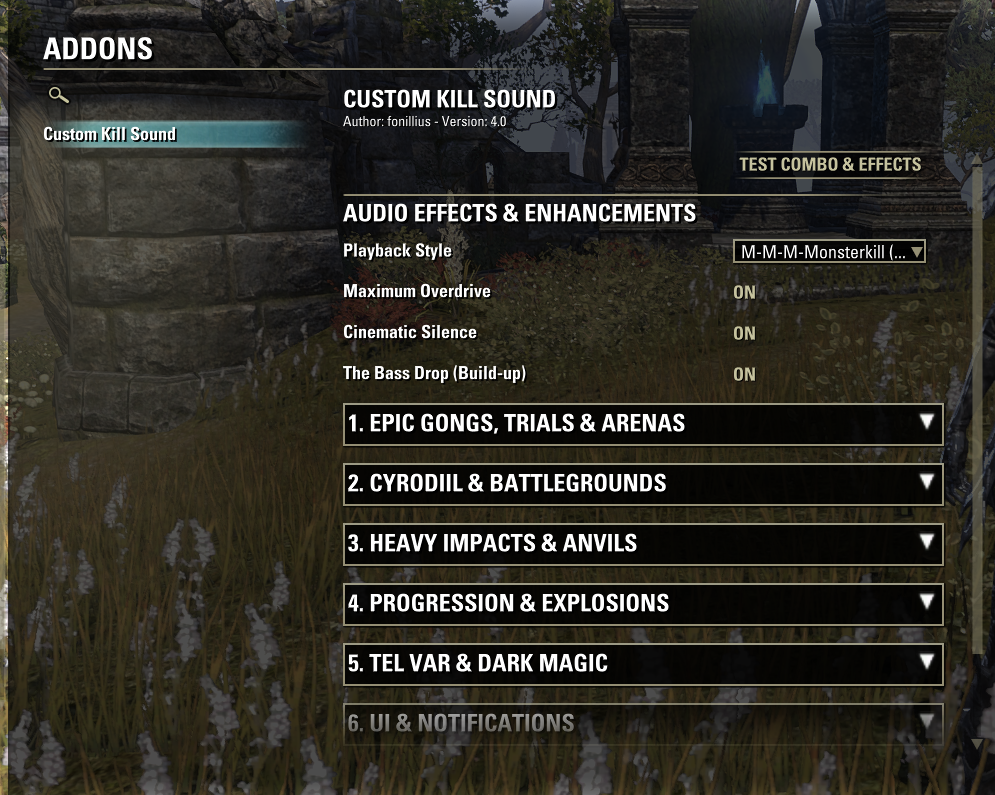
Custom Kill Sound
-When you defeat enemy (in cyrodiil, duel or bg, or any other form of PvP) this plays “custom” killblow sound, uses ingame sounds and “edits” them to sound more custom
README:
-Prerequisites
LibAddonMenu-2.0 (LAM2): This is a library required to make the Settings UI. Download it from ESOUI or via Minion.
-How to Use and Test In-Game
Make sure you have LibAddonMenu-2.0 installed.
Launch ESO and log in. Go to Settings -> Addons -> Custom Kill Sound.
Pick the sounds you want to play and effects you want for those sounds.
Press Test to hear chosen killblow sound.
The addon will immediately try to play the sound.
To Test PvP: Challenge a friend to a duel and kill them. As soon as their health hits 0, the sound will play.
(Works in BGs and Cyrodiil etc too but only in PvP)
-Folder Structure
Navigate to your ESO Addons folder:
(Documents) -> Elder Scrolls Online -> live -> AddOns
AddOns/
└── CustomKillSound/
├── CustomKillSound.txt
└── CustomKillSound.lua
(Note: APIVersion 101043 is for Update 43/44. ESO will still load it if “Allow Out of Date Addons” is checked).







