

Dynamic Encounter Tracker (1.0.0)
Dynamic Encounter Tracker
See the current step of an encounter, whether your participation has been registered, and when the next one is expected.
Dynamic Encounters run through a series of steps, and the game shares little about their progress. Whether your participation has been registered, when a reward chest becomes available, and how long until the encounter runs again none of it is collected in one place. Dynamic Encounter Tracker puts it into one small window: the current step and its progress, your participation state, a notification when a chest appears, and a countdown to the next expected encounter once this one ends.
Currently covers three configured encounters: Stonefalls (Bilsa’s Delivery), Glenumbra (Vampire Hunt), and Auridon (Flower Vine Court).
All display elements, notifications and timers described below can be configured in the settings panel see the Settings section near the bottom.
Available in 6 languages
https://flagcdn.com/24×18/gb.png English https://flagcdn.com/24×18/de.png Deutsch https://flagcdn.com/24×18/fr.png Franais https://flagcdn.com/24×18/es.png Espaol https://flagcdn.com/24×18/ru.png Русский https://flagcdn.com/24×18/cn.png 简体中文
Status Window
https://raw.githubusercontent.com/R0ctan/DynamicEncounterTracker/main/docs/assets/dynenc_unknown.jpg
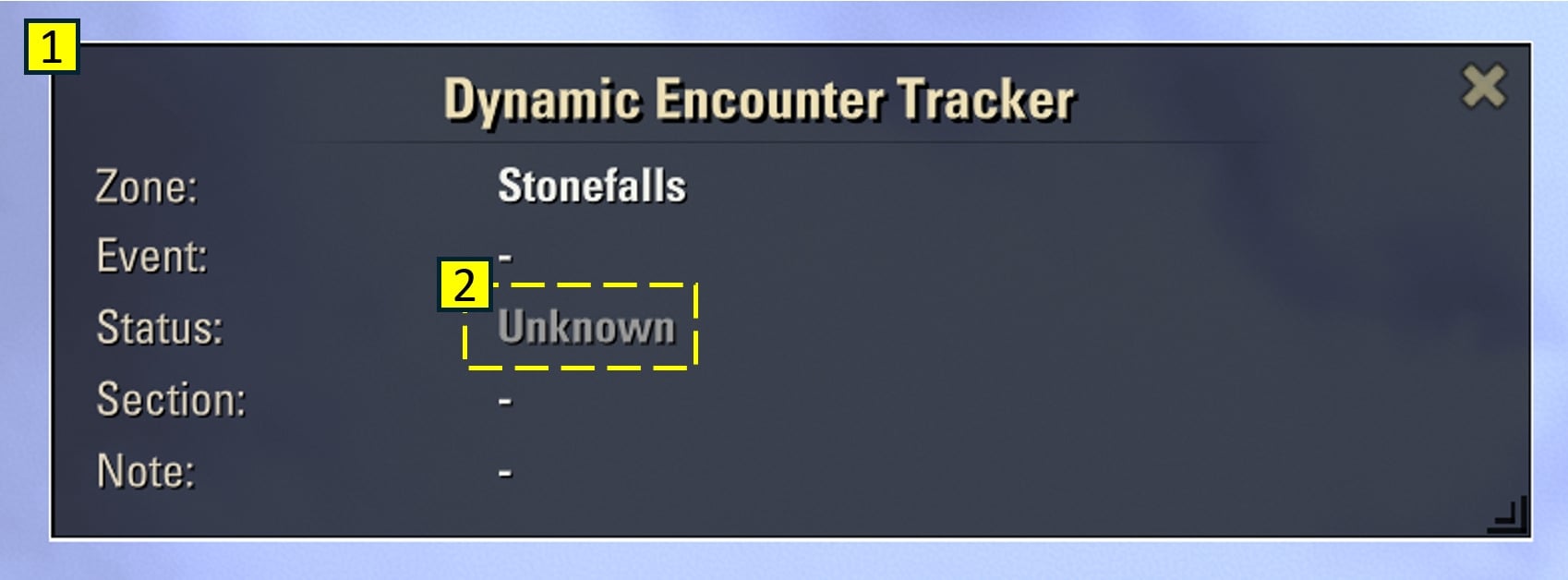
Enter a supported zone and the window tells you where things stand.
A compact window with everything in one place zone, encounter, status, current step text and a note line. The window can be moved, resized, or closed, and it wraps long text instead of cutting it off.
Honest when nothing is known when you have just entered the zone and no encounter has been detected yet, the status simply reads “Unknown” instead of inventing a state or a timer.
Participation & Step Progress
https://raw.githubusercontent.com/R0ctan/DynamicEncounterTracker/main/docs/assets/dynenc_up_not_participating.jpg
Took part in an encounter and received no chest? One possible reason is that your participation was never registered and the game gives no clear sign when that happens.
Encounter name shown as ESO calls it, in your client language.
“Participation open” the encounter is running, but your contribution has not been registered yet, so reward chests may not count for you.
The current step in full text, using the objective text provided by the game.
https://raw.githubusercontent.com/R0ctan/DynamicEncounterTracker/main/docs/assets/dynenc_up_participating.jpg
The same encounter a moment later your participation has now been registered.
Step position and progress “Step 1/13 (10%)” tells you how far the encounter has come and how far the current step has to go, whenever ESO reports it.
“Participation detected” your contribution has been registered for this encounter.
Note line with the condition that matters for the current step, so you don’t spend it on the wrong action.
Chest Notifications
https://raw.githubusercontent.com/R0ctan/DynamicEncounterTracker/main/docs/assets/dynenc_chest.jpg
A chest can appear while you are still fighting easy to walk away without noticing it.
Cooldown countdown after an encounter ends, with the expected time until the next one starts in this zone.
The note line names the exact chest “Chest 1 has appeared”, “Chest 2 has appeared”, or “The final chest has appeared” instead of a generic “something appeared”.
Optional separate alert window, movable and configurable in size, color and display duration, for when you are not watching the status window.
Notifications appear only for chest timings with an explicit, tested rule for the current encounter; step progress alone is never used to predict one.
Respawn Timer
Know whether it is worth waiting nearby or whether there is time for something else.
After a detected encounter ends, the addon shows a cooldown countdown followed by the expected spawn window. If the expected start time passes, the timer keeps counting upward to show how late the encounter is.
Earliest and expected start times can be adjusted separately for each encounter in MM:SS format.
Settings
Everything above is configurable window content, appearance, chest notifications and respawn timing each have their own settings section with tooltips. Individual lines of the status window can be hidden, the chest alert can be switched off entirely, and window positions can be reset separately.
Slash command
/dynet
/dynet on enable the addon
/dynet off disable the addon
/dynet show show the status window
/dynet hide hide the status window
Known Limitations
Keyboard UI only; the addon has not been adapted for the gamepad-preferred UI mode.
Required library
– LibAddonMenu-2.0 r43 or newer
Author
R0ctan
Credits
AI-assisted development by Auralith AI
Optional In-Game Support
Dynamic Encounter Tracker is completely free to use.
If you enjoy the addon and it helps you catch the chests you would otherwise have missed, I’d be very happy about a small in-game gold donation as a little thank-you.
No pressure and no obligation only if you enjoy the addon and would like to support its continued development.
In-game mail: @TheWipeGuy
Thank you for using Dynamic Encounter Tracker may your chests always count!







