City Lights – Easy to Spot Towns (1.1.0)
City Lights
An accessibility helper for the zone map: towns stand out, so you can find them at a glance.
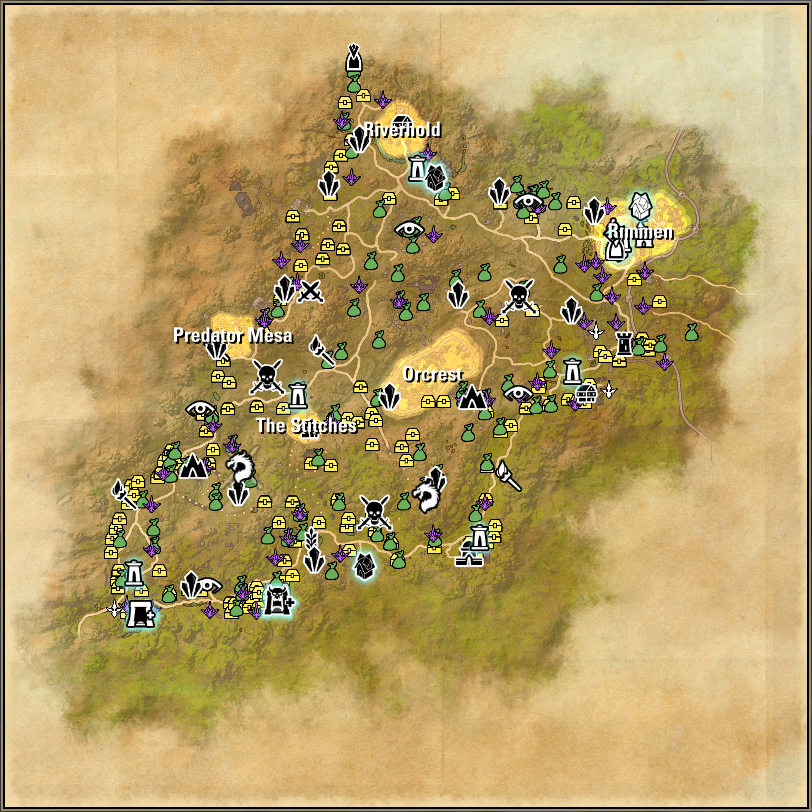
On the zone map, towns are often small, faint or blend into the terrain, and the game only lights one up when you hover over it. City Lights keeps every town highlighted and labelled all the time, in colours and sizes you choose, so they are easy to spot even with low vision, colour-vision differences or on a busy map.
It only highlights what the map already shows you. It doesn’t add new places, reveal anything you haven’t unlocked, or change content from DLCs you don’t own.
Features
Highlights each town on the zone map, using the game’s own hover shapes.
Writes the town’s name on the map, with an adjustable text size.
Out of the box: yellow highlights with a white glow and white names, like city lights at night.
Pick your own highlight, outline and name colours (with transparency), for example a high-contrast colour that works for you.
Turn the outline glow or the names on and off.
Stays lined up when you zoom and pan.
Commands
/citylights turns highlights on or off (/citylights on, /citylights off).
/citylights labels turns the names on or off.
/citylights settings opens the settings.
Requirements
None. LibAddonMenu-2.0 is optional and only needed for the settings page; the slash commands work without it.
Notes
The colours are added to the map (like the game’s own hover glow), so they only ever brighten it. Darker colours look fainter; use the transparency slider to make the highlight stronger or softer.