
Chill Giveaway (1.0)
AI Disclosure: AI-assisted tools were used during development and code review. The addon’s design, behavior, and releases are directed and tested by the author.
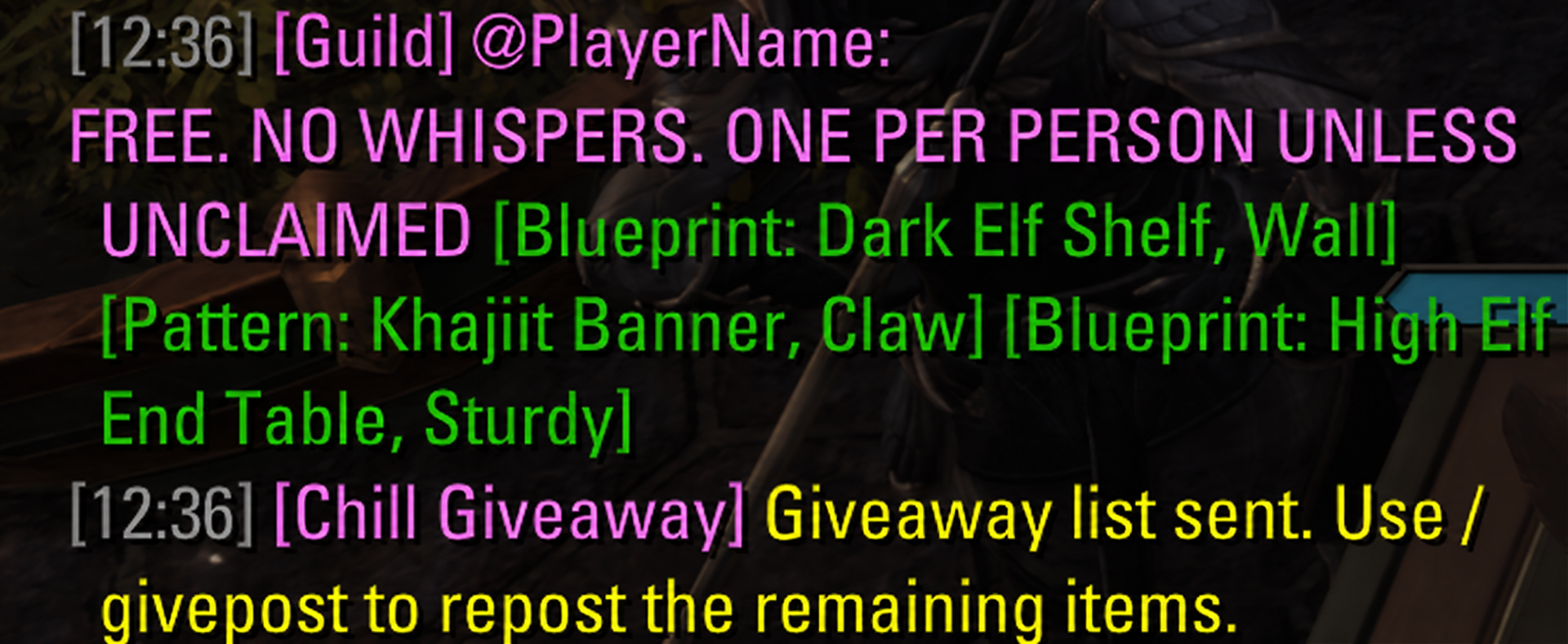
Chill Giveaway lets you select items from your backpack and share them as clickable links in chat.
How to use
Right-click an inventory item and choose Giveaway to add it to your list. Choose Remove from Giveaway to deselect it.
Type /givepost to prepare your list, then press Enter to send. If multiple messages are needed, the next one loads automatically after you send the previous one.
Features
Automatically removes selected items when they leave your backpack.
Adds stack quantities after item links, such as x12.
Keeps each clickable link and its quantity together.
Clearly indicates when the entire list fits in one message.
Shows your progress when multiple messages are needed.
Saves your selection between sessions.
Settings
Open Settings > Addons > Chill Giveaway to customize the text placed before your item links. This text appears only in the first message and counts toward the message limit.
You can also review or clear your selected items from the settings menu.
Required libraries
LibCustomMenu
LibAddonMenu-2.0