
Fury’s Account Sync (0.2.2)
Change Log:
——————–
0.2.2
Clearer wording: the settings and tooltips now say “starts turned off”.
The addon list shows the right version next to the name again.
0.2.1
Front bar and Back bar are one tickbox again: “Skill bars”.
“Get the Windows tool” opens the project page on GitHub.
0.2.0
Addon settings are copied in game. Tick “Addon settings” under What to copy: Apply then also copies the main’s settings for every addon on the list that is turned on for the account, and reloads the UI so they load. Stats, logs and collected data stay as each account has them, and data addons are never touched. Starts turned off.
The base game’s chat window, meters and quest tracker positions can be copied too (“Chat window, meters and quest tracker”). Starts turned off.
“Undo addon copies” in the settings (or /fas undo) puts back the addon settings the account had before it first copied, for a month.
With “Automatically when I log in”, addon settings are copied once per account for each snapshot.
After the reload the window shows the report of what was copied.
0.1.4
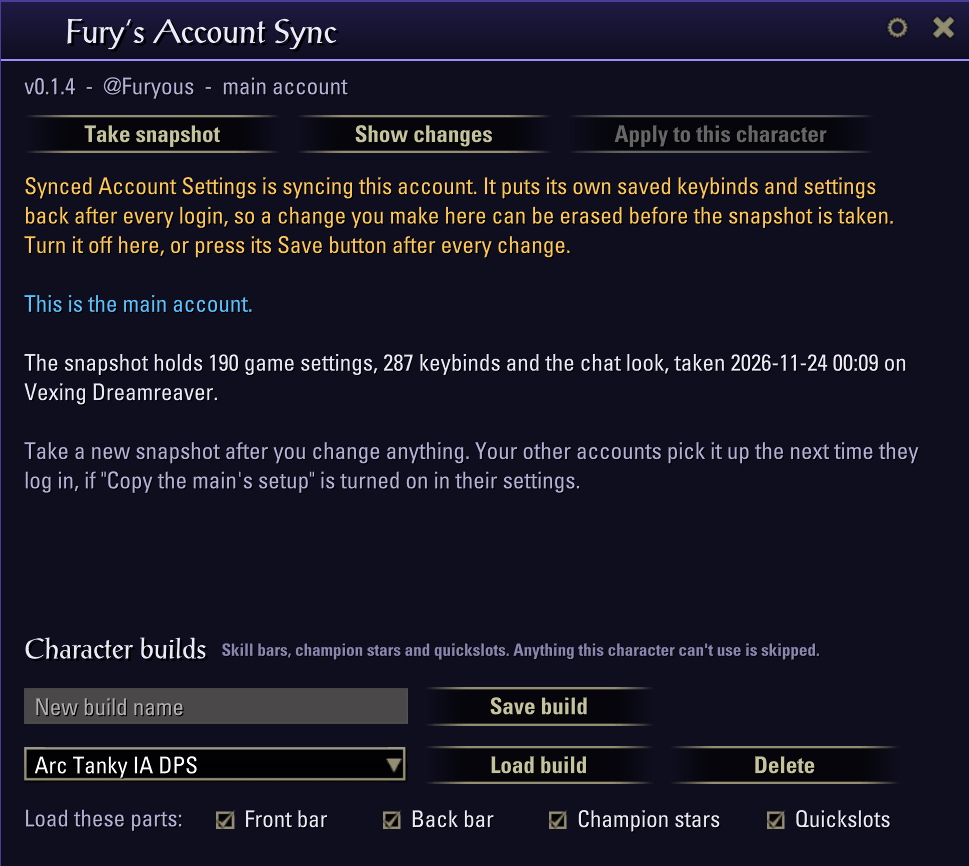
Tickboxes next to Load build choose what gets loaded: front bar, back bar, champion stars, quickslots. Before, that choice was only in the settings and both skill bars were one choice.
0.1.3
Saving a build no longer stops with an error. The quickslot wheel was looked up with a game value that no longer exists.
Loading a build lists the quickslots it can’t carry over (emotes, quick chat and quest items).
The line under the window title shows its separators again.
0.1.2
A key that is in the way on the character is cleared first, even when it is held by an addon the main doesn’t run. The preview shows it.
After copying, anything that didn’t land is tried once more before it is reported.
The main account now warns while Synced Account Settings is syncing there. That addon…
Description:
——————–
AI disclosure: This addon’s code was written with the assistance of an AI coding assistant (Claude by Anthropic), working from my designs and instructions. I test every release in game on my own accounts before it goes up, and I maintain it. Please report any problem in the comments.
Credits
Settings page uses LibAddonMenu-2.0 by Seerah and sirinsidiator.
Thanks to the authors of Synced Account Settings and Wizard’s Wardrobe, whose addons showed which game functions do the job.
Game API details from the ESOUI wiki and ZeniMax’s ESO UI source code.
Fury’s Account Sync
Set up one account. Every other account on your PC matches it.
FURY’S ADDONS Guild Management Toolset | Character Tracker | Inventory Ledger | Account Sync
Play more than one account on the same PC? Set up your main account the way you like it, and your other accounts copy it: the game’s settings pages, every keybind, the chat look, addon settings and window positions. Character builds are saved once and loaded onto any character on any account.
One setup for every account
ESO keeps its settings, keybinds and chat colors per character, and every addon keeps its settings per account. With several accounts that means setting everything up again and again. This addon reads it once on your main account and applies it wherever you log in, and it shows…