

LiveAchiever (1.0.0)
LiveAchiever
PC & Console
EN | PL | DE | FR | RU | ES | JP | IT | BR | PT | ZH | TR
⚠️ FIRST RELEASE (v1.0): This is the first public version. Please report any bugs or suggestions in the comments!
______________________________________________________________________
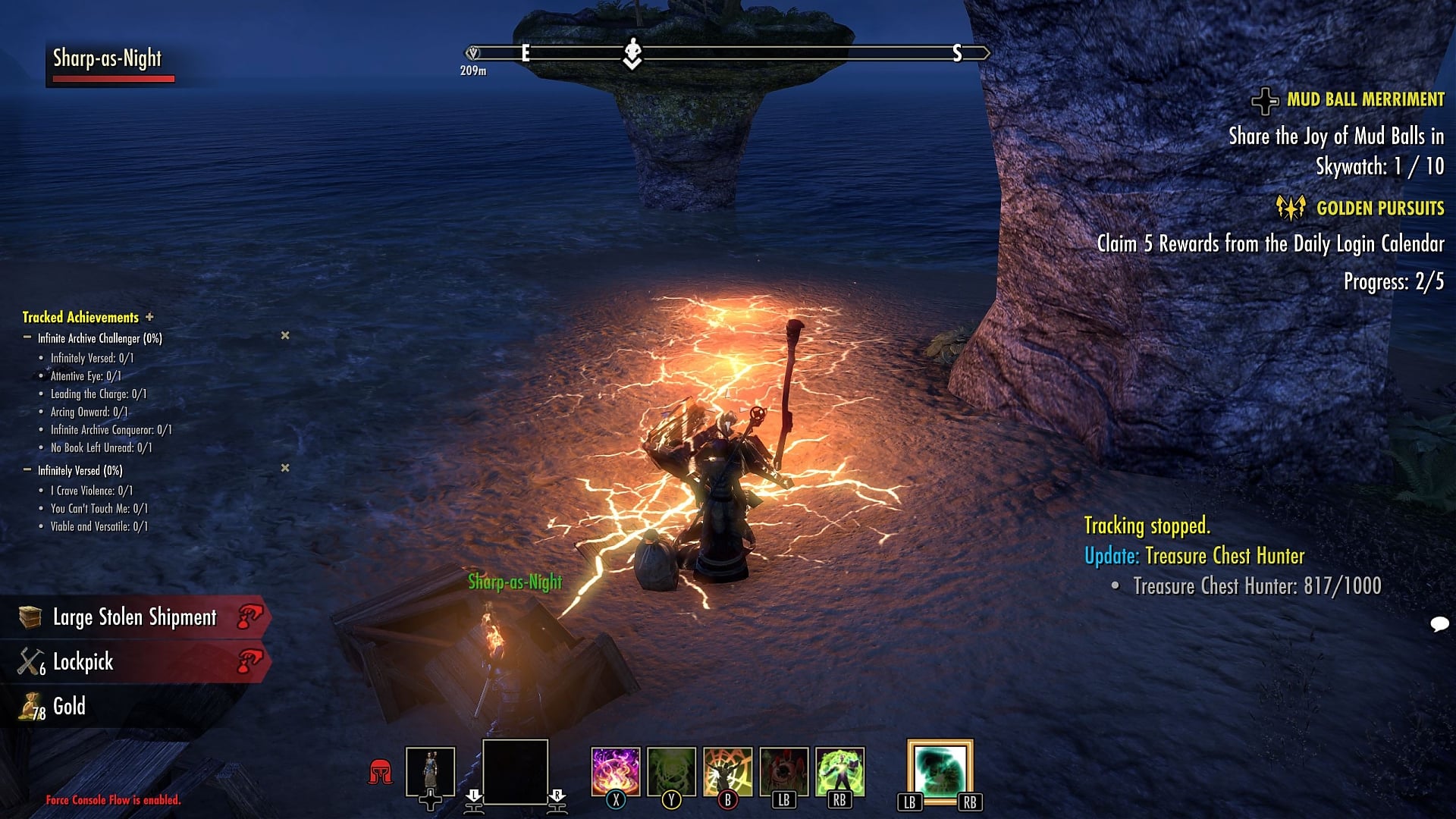
LiveAchiever is a simple and lightweight achievement tracker for Elder Scrolls Online, designed for both Keyboard/Mouse and Gamepad/Console users. It allows you to monitor your achievement progress in real-time with an immersive HUD, chat notifications, and a dedicated history system.
KEY FEATURES
Smart Visibility (Auto-Hide): The window remains hidden when the list is empty. It reappears only when you track an achievement or a new update is detected.
Real-time HUD: Displays tracked achievements with percentage or criterion breakdown.
Progress Accumulation: Instead of spamming chat (e.g., +1 gold), the addon sums progress over time (e.g., “+54 Gold in the last minute”).
Smart History: Automatically remembers recent updates. Quickly add them to the tracker without searching the journal.
Auto-Centering: The tracker moves to the center when you open the Achievements Menu for easier management, then returns to its spot.
Visual Customization: Slider for Font Size (6-28) and Background Opacity (0-100%).
Combat Focus: Auto-hide during combat.
Movable: Position saved per account.
______________________________________________________________________
PC MODE (Keyboard & Mouse)
Tracking: Right-click an achievement in Journal -> “Track (LiveAchiever)”.
Quick Add: Click the button on the HUD. A red badge indicates unread updates.
Managing: Click a row to expand details, click “X” to remove. Right-click title bar to reset position.
Chat Links: Click in chat notifications to add to HUD.
GAMEPAD / CONSOLE MODE
Tracking: In Journal, press Right Stick (R3) to toggle tracking.
Smart Fonts: Automatically switches to larger, readable fonts when using a controller (saves separate settings for PC/Gamepad).
Quick Menu Navigation: A strip appears at the bottom left:
Left Stick (L3): Add/Remove from Combined List.
LB / RB: Cycle through history and tracked items.
Positioning: Use Settings menu sliders to move the HUD with your controller.
SETTINGS
Appearance: Font Size (6-28) & Background Opacity (0-100%).
Accumulation Time: Group updates from 3 seconds to 2 hours.
Hide in Combat: Toggle visibility during fights.
Clear List: Button to remove all tracked items.
______________________________________________________________________
______________________________________________________________________
POLISH DESCRIPTION / OPIS PL
LiveAchiever (Edycja PC & Konsole)
⚠️ PIERWSZA WERSJA (v1.0): Proszę o zgłaszanie błędw w komentarzach!
LiveAchiever to lekki system śledzenia osiągnięć, zaprojektowany dla graczy używających Klawiatury oraz tych z Padami. Oferuje HUD w czasie rzeczywistym, inteligentne powiadomienia i historię.
GŁWNE FUNKCJE
Inteligentna Widoczność: Okno jest ukryte, gdy lista jest pusta. Pojawia się automatycznie po dodaniu osiągnięcia lub wykryciu postępu.
HUD: Wyświetla śledzone osiągnięcia wraz z postępem.
Kumulacja postępw: Zamiast spamować czat (np. +1 złota), addon sumuje postęp w czasie (np. “+54 złota w ostatniej minucie”).
Historia: Zapamiętuje ostatnie zmiany, pozwalając dodać je do HUD-a bez otwierania dziennika.
Auto-Centrowanie: Okno przesuwa się na środek w menu Osiągnięć dla łatwiejszej obsługi.
Wygląd: Regulacja rozmiaru czcionki (6-28) oraz przezroczystości tła (0-100%).
Tryb Bojowy: Ukrywanie okna podczas walki.
Pozycja: Dowolne ustawienie HUD-a (zapis na konto).
TRYB PC (Klawiatura)
Śledzenie: Prawy Klik w dzienniku -> “Śledź (LiveAchiever)”.
Szybkie dodawanie: Kliknij na pasku tytułu. Czerwony licznik oznacza nowe aktualizacje.
Zarządzanie: Kliknij wiersz by rozwinąć, “X” by usunąć. Prawy klik na tytuł resetuje pozycję.
Czat: Kliknij w powiadomieniu na czacie.
TRYB GAMEPADA
Śledzenie: W dzienniku wciśnij Prawy Analog (R3).
Inteligentne Czcionki: Automatycznie powiększa tekst w trybie pada (osobne ustawienia dla PC/Konsoli).
Szybka Nawigacja: Pasek u dołu ekranu:
Lewy Analog (L3): Dodaj/Usuń z listy.
LB / RB: Przełączanie między historią a śledzonymi.
Pozycjonowanie: Przesuwanie HUD-a za pomocą suwakw w menu padem.
USTAWIENIA
Wygląd: Suwaki rozmiaru czcionki i przezroczystości tła.
Czas kumulacji: Grupowanie powiadomień (od 3s do 2h).
Ukryj w walce: Wł/wył.
Wyczyść listę: Usuwa wszystkie śledzone elementy.







