Enshrouded Center Skill Tree
Review the Center Skill Tree in Enshrouded, which focuses on unique combat abilities as well as increased resource gathering.
The post Enshrouded Center Skill Tree first appeared on Hack the Minotaur.


Review the Center Skill Tree in Enshrouded, which focuses on unique combat abilities as well as increased resource gathering.
The post Enshrouded Center Skill Tree first appeared on Hack the Minotaur.
Review the Battlemage Skill Tree in Enshrouded, which focuses on Intelligence Nodes, as well as increased wand damage and resource sustain.
The post Enshrouded Battlemage Skill Tree first appeared on Hack the Minotaur.
Review the Healer Skill Tree in Enshrouded, which focuses on Intelligence Nodes, as well as increased active and passive healing.
The post Enshrouded Healer Skill Tree first appeared on Hack the Minotaur.
Review the Wizard Skill Tree in Enshrouded, which focuses on Spirit Nodes, as well as increased elemental spell damage.
The post Enshrouded Wizard Skill Tree first appeared on Hack the Minotaur.
Review the Trickster Skill Tree in Enshrouded, which focuses on Spirit Nodes, as well as crowd control, resource sustain, and a gliding ability.
The post Enshrouded Trickster Skill Tree first appeared on Hack the Minotaur.
Review the Survivor Skill Tree in Enshrouded, which focuses on Endurance Nodes, as well as increased Stamina sustain and mobility.
The post Enshrouded Survivor Skill Tree first appeared on Hack the Minotaur.
Review the Beastmaster Skill Tree in Enshrouded, which focuses on Endurance Nodes, as well as increased Dagger damage, and calming wild beasts.
The post Enshrouded Beastmaster Skill Tree first appeared on Hack the Minotaur.
Review the Ranger Skill Tree in Enshrouded, which focuses on Dexterity Nodes, as well as increased Bow damage and unique Bow abilities.
The post Enshrouded Ranger Skill Tree first appeared on Hack the Minotaur.
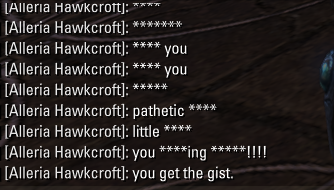
A simple addon to filter out the legendary words that might get you banned before sending it to chat. Just remember to set the legendary words. By default im lazy so I added only a few words to the list, You can add more words or remove some words from the list as you please.Also there is a option to either filter the bad words with **** rather than block the entire message, or You can block the message altogether, whatever you prefer.have fun swearing lol
Hyborem’s Drop AlertVersion: 1.0.0 | Author: Gemini & Hyborem | API: 101048Hyborem’s Drop Alert is an advanced notification system designed to help you instantly recognize valuable loot in ESO. The addon monitors items entering your inventory and displays clear center-screen announcements, categorized by the deities of Tamriel.– Inspiration — This project was inspired by the LootAlert! addon created by Thyreos. While Hyborem’s Drop Alert is a completely new implementation built for modern API standards, it carries on the legacy of providing customizable loot notifications.– Features and Deities –* Hircine’s Great Hunt (Manual Tracking): Create your own trophy list. Any item on this list will trigger a special “Great Hunt” alert when found.* Meridia’s Purity (Quality): Notifications for high-quality items. Defaulted to Epic (Purple) and Legendary (Gold).* Hermaeus Mora’s Knowledge (Recipes/Plans/Motifs): Alerts you whenever you find recipes, furnishing plans, or motifs.* Clavicus Vile’s Bargain (Price): Notifications for items whose market value exceeds your specified threshold.* Zenithar’s Labor (Master Writs): Automatic detection and alerts for Master Writ drops.– How to Track Specific Items? –The Hircine’s Great Hunt system allows you to manually select any item you want to “hunt”:1. Open your inventory or find an item link in chat.2. Right-Click the item.3. Select “Hunt that item”.From now on, every time you loot that item, it will be celebrated with a trophy alert. To stop tracking, simply select “Ignore the Prey” from the same menu.– Important Note on Price Alerts (Clavicus Vile) –The price alert section is built to work with the LibPriceCache library.* Status: This library is currently in development and has not been completed yet.* Functionality: Until the library is installed and active, the price alert options in the menu will remain locked.* Detection: You can check the library status in the addon settings (Green text = detected, Red text = missing).– Required Libraries –To function properly, this addon requires:* LibAddonMenu-2.0* LibSavedVars >= 60007 [cite: DropAlert.