ShowRepairCosts (1.0)
Dieses Addon zeigt auf dem Display die Reparaturkosten an.This add-on shows the repair costs on the display.


Dieses Addon zeigt auf dem Display die Reparaturkosten an.This add-on shows the repair costs on the display.
“Look at these Impressive Stats!”Going to keep it in BETA category for now to see if any new issues appear. If you tested this addon before, please be sure to read the last paragraph.This addon is inspired by PvP Meter (by marig63). Some features of original addon stopped working after in-game update long ago and then was turned off by current maintainer (amuridee). The goal this addon is to replace missing features and add more user friendly and reach interface.Battlegroundslist of all matches with essential information3 filers: for team type (4-solo/group and 8-solo/group), mode (deathmatch, crazy king, etc.) and for character (can choose from one to all your characters)button to select/deselect/select current all characterssimple statistics with winrate and KDA which takes into consideration all applied filtersDuelslist of all duels with essential information2 filers: for character (same as for BGs) and search field for opponent (by character name and @UserID)simple statistics (going to be reworked)Tales Of Tributelist of all games with essential informationsearch field for opponent (by character name and @UserID)simple statistics (going to be reworked soon)ContactsYou can send me feedback via Discord (@impda) or forum. Any suggestions will be reviewed. Looking for better UI designer than myself at the moment, so if you can imagine better-looking design, reach me out.Roadmapduels and ToT tabs UI reworkPerfectPixel compatibilityintegration with CMX (save and load duels)saved variables compressionKnown issuesToT rating not being updated sometimes, probably API restriction. Please try to install Tribute Improved Leaderboard and check if it has the same issue at the same time and send me a feedback.3 round battlegrounds can throw an error, but match still saved. Send me a feedback with a log if it happened (LibDebugLogger must be installed. It is optional tho, so if you want to help me – please install it :)).For testersAddon name was changed to avoid confusion, this addon will not adopt any other PvPMeter features, so you can use both addons at the same time.Data collected can be transferred.Close the gameInstall the addonDelete old one (ImpPvPMeter, but keep saved variables!)Backup old saved variable just in caseRename saved variables (ImpPvPMeter.lua) to ImpressiveStats.luaLoad into the game, navigate to addon settings and press “Copy from ImpPvPMeter” buttonUI will be reloaded and button become inactive, all data must be copied at this point
Stops Golden Pursuits being automatically pinned and appearing under the quest tracker.Manually pinned Golden Pursuits will still show as normal.
This library forms the foundation for the Extended Journal collection of addons.NOTE: All of the first-party Extended Journal addons already include a copy of this library. If you are a user of Loot Log, Item Set Browser, Character Knowledge, Collectibles Tracker, and/or Raidificator, you do not need to download this library.This standalone release of LibExtendedJournal exists only because the pre-release version of Minion 4 was apparently getting confused by the lack of a standalone version.
Description:DebuffTracker is a lightweight and customizable Elder Scrolls Online (ESO) addon designed to track specific debuffs applied to enemies during combat. It provides an immovable UI bar that dynamically updates, displaying the remaining duration of the selected debuff on multiple enemies.Features:✅ Custom Debuff Tracking: Enter any ability ID to track a specific debuff.✅ Real-Time Duration Bars: Visual countdown of debuff timers with dynamic color changes (Green → Yellow → Red).✅ Immovable UI: You cannot unlock and reposition the tracker at all!✅ Lightweight & Efficient: Designed for minimal impact on performance while keeping combat information clear.How to Use:1. Open Addon Settings (LibAddonMenu required).2. Enter the Debuff ID you want to track.3. Complain about the addon’s UI overlapping with the party members display.4. Engage enemies in combat and watch the timers update dynamically.Perfect for: Tanks, healers, and DDs who need to monitor key debuffs like Line-Breaker, Way of Martial Knowledge, or any other important debuff!Try it out and take control of your debuff management in ESO! :banana:
This Beginner Warrio guide will walk you through everything you need to master a powerful starting Warrior in Path Of Exile 2, from skills to passive tree choices and the best weapons and armor for optimal performance.
The post Best Beginner Warrior Build for Path Of Exile 2 first appeared on Hack the Minotaur.
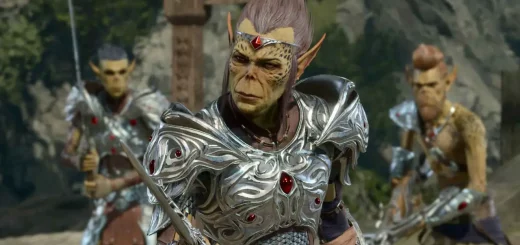
Get inspiration for your Baldur’s Gate 3 playthrough, as we explore the top 10 builds for BG3 in 2025. These builds work great on any difficulty, from Story to Honour mode, and are a great place to look if you’re struggling with BG3’s combat or just out of ideas. While it’s been out for a […]
The post BG3 Top 10 Builds – Baldur’s Gate 3 (2025) appeared first on AlcastHQ.
Change Log:——————–Adjusted the code to follow best-practices.Thanks to Baertram for the guidance!Description:——————–Description:BetterSynergy is a lightweight add-on for The Elder Scrolls Online that removes the synergy prompt text while keeping the synergy keybind and icon visible. This allows for a cleaner UI while still ensuring you can easily activate synergies.Features:✅ Hides synergy text while keeping the keybind and icon visible✅ Works seamlessly with both keyboard and gamepad UI✅ Lightweight and performance-friendly✅ Compatible with UI mods like AzurahInstallation:1. Extract the BetterSynergy folder to your ESO AddOns directory:Documents/Elder Scrolls Online/live/AddOns/BetterSynergy2. Enable the add-on in ESO’s Add-On Settings.3. Reload UI using /reloadui.
Welcome to the BG3 Class Tier List. Most players want to pick the best class for their Baldur’s Gate 3 playthrough. Here we will rank the Best BG3 Classes from the most powerful to the least. We’ll mainly be considering the following factors when ranking the classes: Damage output Party support (buffs, healing, etc) Survivability Range […]
The post Best BG3 Class Tier List – Baldur’s Gate 3 appeared first on AlcastHQ.
Warns you when you should block to not get pulled in by Rush Of Agony (common ballgroup pull set).