

QuickMarker (1.0)
QuickMarker – Survey Map Distance Helper
DESCRIPTION
———–
QuickMarker is a simple addon created for players like me who collect hundreds of survey maps at once and constantly forget the optimal distance needed for resource pins to refresh. It’s also perfect for those who want to find the most efficient farming distance.
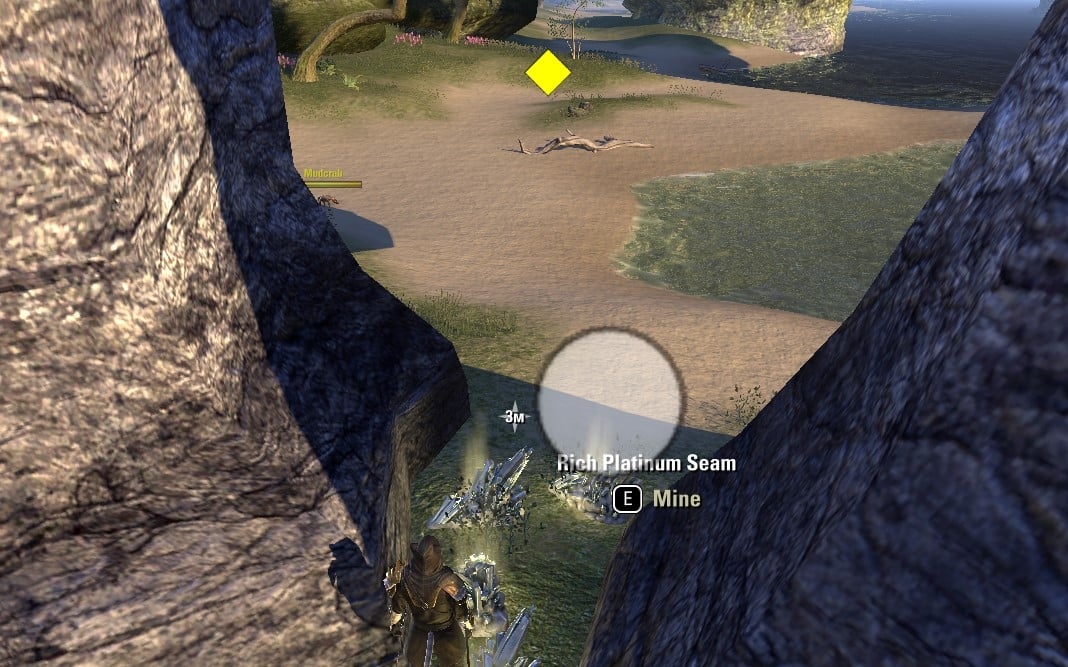
This addon allows you to place visual 3D markers in the game world to mark your base position and measure distances to resource nodes. No more guessing – you’ll always know exactly how far you need to run!
HOW IT WORKS
————
The addon uses two types of markers:
BASE MARKERS:
– Mark your starting position or resource node location
– Displayed as white semi-transparent icons
– Multiple base markers can be placed
– Visible up to 200 meters
RANGE MARKERS:
– Mark positions at various distances from your base
– Change color dynamically based on distance to nearest base:
* GREEN (0-35m): Close range
* YELLOW (35-70m): Medium range
* RED (70-100m): Long range
* PURPLE (100m+): Very long range
* GRAY: No base within 300m
– Distance to base is saved when marker is created
– Multiple range markers can be placed
DISTANCE LABEL:
– Shows real-time distance to nearest base marker
– Displayed in center of screen when within 200m of a base
– Updates dynamically as you move
– Disappears when you’re more than 200m away
FEATURES
——–
– 3D markers visible in game world (not just on map)
– Markers scale with distance – larger when far away for better visibility
– Visible through walls and terrain
– Zone-specific – markers only appear in the zone where they were created
– Account-wide storage – markers persist across characters
– Easy deletion – remove nearest marker with a keybind
KEYBINDS
——–
Set up keybinds in ESO Settings > Controls > Keybindings > Quick Marker:
– Place Base (red) – Create a base marker at current position
– Place Range (yellow) – Create a range marker at current position
– Delete nearest marker – Remove the closest marker within 10m
COMMANDS
——–
/qmdebug – Display debug information (active pins, saved markers, distances)
/qmtest – Create a test marker at your current position
USE CASE EXAMPLE
—————-
1. Find a resource node from a survey map
2. Press your “Place Base” keybind to mark the node location
3. Run away in different directions
4. Press “Place Range” keybind at various distances
5. The markers will show you the exact distances with color coding
6. Find the optimal distance where resource pins refresh (typically 70-100m)
TECHNICAL NOTES
—————
– Markers are stored with world coordinates and zone ID
– Visibility range: 200 meters
– Search range for base detection: 300 meters
– Delete range: 10 meters
– Coordinates stored in centimeters (ESO standard)
– Updates every frame for smooth rendering
DISCLAIMER
———-
I am not a professional coder. This addon is provided “as is” without any warranties or guarantees. It works for my needs, and I hope it helps you too. Use at your own risk.







