

Scrollkeeper Guild Tools (1)
Scrollkeeper Guild Tools
Where guilds keep their history and their edge.
Take your ESO guild management to the next level with Scrollkeeper Guild Tools, a modern, performance-friendly successor to traditional officer utilities. Track donations, monitor probation timers, analyze guild history, and communicate with ease all in one cohesive, stylish package that works live, without reloads.
Whether you lead a trade empire, a PvE fellowship, or a den of thieves, Scrollkeeper gives you the insight and tools you need to keep your guild thriving.
⚙️ Dependencies
Requires: LibAddonMenu-2.0, LibHistoire, LibAsync, LibTextFilter, LibDateTime, LibChatMenuButton
Optional: Advanced Member Tooltip (LibHistoire) pChat Dolgubon’s Guild Reorder
⚔️ Features
ProvisionMember: Probation & Donation Tracking
Tracks time in guild for probation monitoring.
Records donations with totals and timestamps.
Filter and mail specific members (e.g., overdue, unpaid).
Color-coded status indicators for quick roster review.
Includes a live trader-flip countdown megaserver and DST aware.
Configure task reminders – never forget to do any of your guild chores again!
Guild History
Captures Roster, Bank, and Trader history from LibHistoire.
Unlimited view depth scroll through as many events as youve cached.
Searchable results instantly find names, gold amounts, or item events.
Create and delete manual logs – inject logs of mailed items and gold into your history for the purposes of donation tracking.
Color-coded roster changes for visual clarity.
Fully live no /reloadui required.
Mail Management
Create and reuse custom mail templates for dues, welcomes, and announcements.
Send filtered mass mail with safe throttling.
Compose messages directly in-game, no reload needed.
Message preview.
Ability to automatically remove members from guild after mailing.
Chat Integration & Commands
Chat buttons for instant access to settings or to open all windows at once.
Slash commands:
/sgthistory History Window
/sgtmail Mail Module
/sgtnote Notebook
/sgtprovision Member Tracker
Includes fun utility commands like /roll, /afk, /on, and /off.
Notes & Member Tools
Right-click menus in chat or roster for mail, invites, or private notes.
Note preview.
Notebook system to store, edit, and search member notes and conversations.
Track event attendance.
Keeps officer records organized without external spreadsheets.
Automated Welcome Messages
Custom greeting templates that trigger when new members join.
Message queueing if multiple members join at the same time.
Supports placeholders (e.g., %1 for player name).
Themes & Settings
Choose frommultiple color themes instantly switch styles.
Change settings and filters live, with no reload required.
Unified settings panel via LibAddonMenu-2.0 for easy configuration.
Fully localized in English, Spanish, French, German, Japanese, Italian, and Russian.
Why Scrollkeeper?
Because every guild deserves a chronicler.
Scrollkeeper Guild Tools is built for leaders who care about structure, officers who value data, and players who thrive on organization.
From donations to history, from members to mail
Scrollkeeper keeps the record so you can keep the guild.
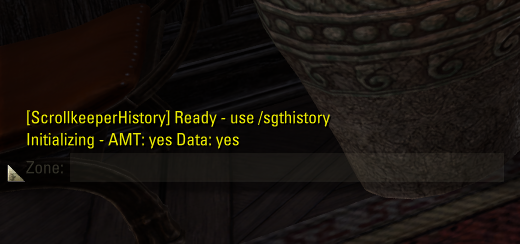
All settings are configurable in real time and do not require a UI reload. A chat message confirms when Scrollkeeper is fully loaded and it is safe to open Scrollkeeper History after login.
Manual Donation Logging
To manually inject mailed donations into the history cache:
Open the Guild Roster
Right-click a member’s name
Select Log Donation
You may specify:
Donation type
Gold value
Optional notes
Chat Buttons
Two buttons are added to the top-right corner of the chat window:
Open all Scrollkeeper windows
Open Scrollkeeper Settings directly
Notebook Search
The Notebook search field:
Is not case-sensitive
Searches both subject lines and note bodies
Returns all matches within the selected category
Mass Mail Sender
The Mass Mail tool allows you to:
Create reusable mail templates
Preview the message before sending
Preview recipient lists
Filter recipients by guild, rank, or Provision Member group
Automatically remove members after mailing (optional)
After sending:
A log entry is created in Scrollkeeper Notebook
Failed recipients are recorded
Task Reminder System
The Task system includes preset tasks and fully customizable entries.
Tasks display only on the roster of their assigned guild
A countdown timer shows time remaining
Clicking the timer resets it







