

Bureau of Acceptable Views (3.1.215837)
Change Log:
——————–
Bureau of Acceptable Views
Your camera, your rules.
Version: 3.1.215837
– Removed the LibSprint dependency and moved its action-slot sprint heuristic into BAV’s lazy event-driven SprintWatch.
– Removed Velocity FOV, its speed sampling, settings, debug overlay, and FOV boost integration.
– Removed obsolete SavedVariables migrations, `/bav dump`, diagnostic APIs, and related settings and localization.
Version: 3.0.094246
– Fixed Dynamic FOV smoothing conflicting with context-preset FOV.
– Fixed preserving the original camera when a smooth preset exit is interrupted.
– Preset and OTS changes in LAM now apply immediately.
– Context Presets no longer overwrite shoulder while OTS owns it.
– Current player states are initialized when enabling presets and Auto OTS.
– Resetting Dynamic FOV immediately restores near/far FOV to engine defaults.
– Fixed preset recovery after `/reloadui`, login, and unexpected session termination.
– Velocity FOV now starts correctly with default settings.
– Features enabled from an already-open LAM panel now suspend camera writes correctly.
– OTS establishes shoulder ownership before Context Presets during startup.
– Removed the self-check module, its button, command, and related documentation.
– Removed conflict advisories and their settings toggle; the silent FPV safety backoff remains.
Description:
——————–
Bureau of Acceptable Views
Your camera, your rules.
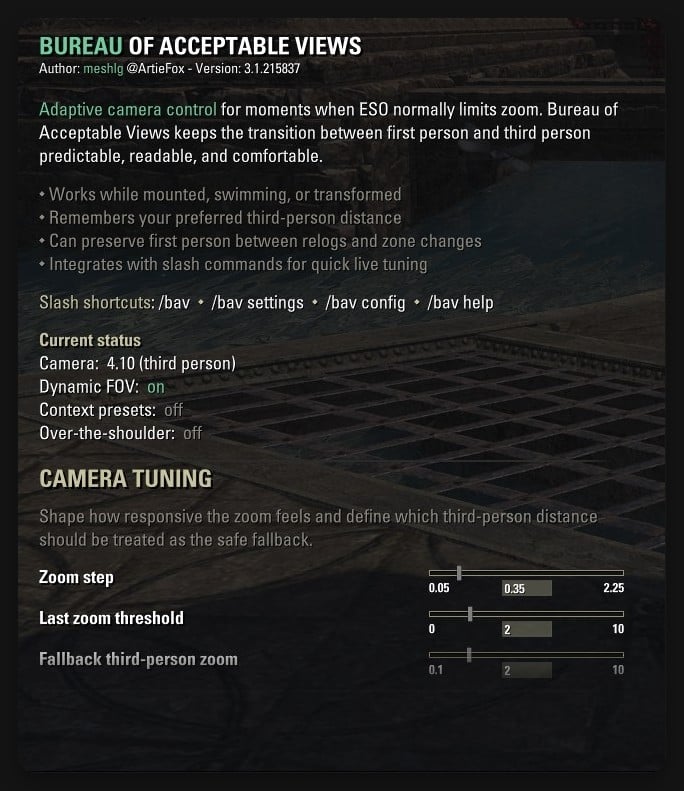
Bureau of Acceptable Views restores free camera zoom in restricted states and adds optional Dynamic FOV, context presets, and over-the-shoulder framing for The Elder Scrolls Online.
Requirements
LibAddonMenu-2.0 >= 43 is required for the settings panel.
Features
Free zoom between maximum distance and first person where ESO normally restricts the camera.
Dynamic FOV enabled by default, with optional smooth transitions.
Context presets for combat, werewolf, stealth, interaction, mounted, swimming, and sprint states.
Over-the-shoulder swap in Auto mode by player state or Manual mode through a slash command.
Persistent camera and shoulder recovery after `/reloadui`, logout, or an interrupted session.
Emergency camera reset, English and Russian localization, and configurable settings.
Usage
Install the addon and log in. Free zoom and Dynamic FOV are ready immediately.
Configure options under Settings -> Addons -> Bureau of Acceptable Views, or use `/bav settings`.
Enable Context Presets or Over-the-shoulder when you want cinematic framing.
Slash commands
/bav Show current status
/bav settings Open settings
/bav config Show or change zoom configuration
/bav set Set a zoom value
/bav shoulder Set Manual…







