Chimer’s Recall (1.2.0)
Chimer’s Recall
Save and recall the exact states of interactive furnishings in your ESO homes. Set your lamps, doors, switches, and other furnishings the way you want them, then save the setup as a named layout.
Essential Housing Tools offers an all-on or all-off command for lights. Chimer’s Recall saves a state for each furnishing, so a single layout can keep one lamp off, another glowing crimson, and another glowing gold. It also remembers the specific state of furnishings with multiple active settings.
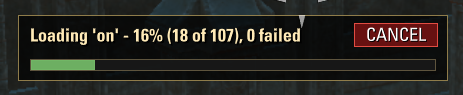
When you load a layout, Chimer’s Recall checks the current states and only sends change requests for furnishings that differ from the saved layout. This keeps resets quick when only a few things have changed.
Keep multiple layouts per house, undo the last load, or choose a layout to load automatically when you enter that house.
I built Chimer’s Recall using what I learned while creating my LightsOut mini-game add-on. I wrote most of the code by hand and used AI to assist with parts of development.
Requirement
LibAddonMenu-2.0 is required for the settings panel. Type /cr to open it.
Quick start
/cr save evening Save the current furnishing states as evening.
/cr load evening Apply that layout in the same house.
/cr undo Bring back the furnishing states from before the last load.
/cr help Show the full command list.