DeBluedIcons (1)
DeBluedIcons
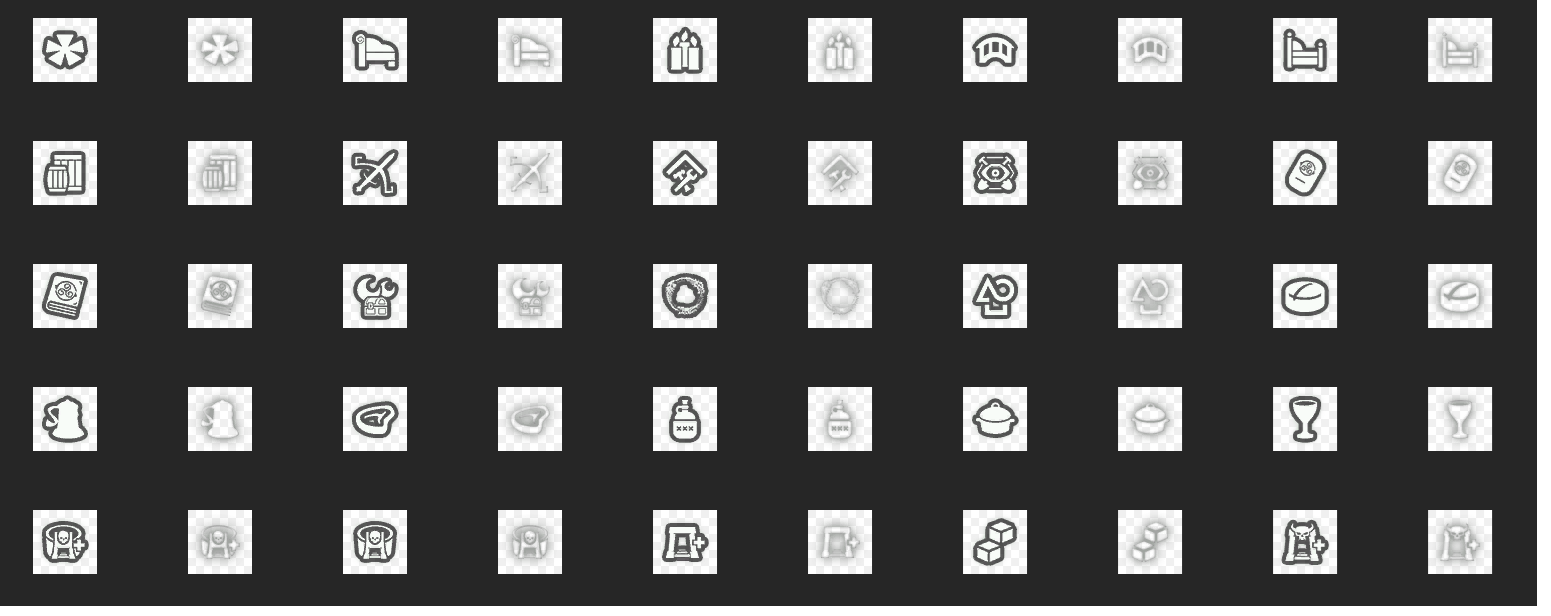
Replaces many of ESO’s blue-tinted UI icons with grayscale versions while preserving the original artwork, dimensions, and texture format.
The goal is a more neutral visual style without altering icon shapes, adding new artwork, or changing UI functionality.
Pairs great with Perfect Pixel!
What This Addon Does
Replaces selected blue-glow UI icons with grayscale versions
Uses the game’s original icon textures
Preserves original dimensions and alpha channels
No gameplay changes
No settings menu required
No dependencies required
How Icons Were Selected
Not every icon in the game was modified.
A texture was processed only if a significant portion of its visible pixels contained ESO’s characteristic cyan-blue glow. Textures meeting this threshold were converted to grayscale, while textures that did not meet it were left unchanged.
In practice, most hover and pressed-state icons were affected, while many normal “_up” textures remained untouched.
Texture Processing Details
All textures originate from the game’s own assets
No icons were redrawn
No AI-generated artwork was used
No AI upscaling or super-resolution was used
Original texture dimensions were preserved
Original alpha channels were preserved
Standard grayscale conversion was used for most textures.
Pressed-state textures use standard luminance conversion. Hover-state textures required a different approach because ESO renders them using additive blending. Traditional grayscale conversion caused these textures to appear excessively bright, so hover-state textures were instead generated using the darkest RGB channel value for each pixel, resulting in a closer visual match in-game.
Texture Format
Processed textures were exported using NVIDIA Texture Tools Exporter 2024.1.1 with the following settings:
BC3 (DXT5) compression
Production quality
No mipmaps
Original dimensions preserved
Installation
Extract the addon into your Elder Scrolls Online AddOns folder or use Minion.
Enable DeBluedIcons from the in-game AddOns menu or at character select
Reload the UI or restart the game if necessary
Troubleshooting
If textures do not appear to update correctly, ESO’s shader cache may need to be rebuilt.
Close the game completely
Delete: Elder Scrolls OnlineliveShaderCache.cooked
Launch the game again
Notes
This addon only replaces texture assets
No game logic or UI behavior is modified
No I can’t change crown store textures, don’t ask.
Designed for players who prefer a less blue-heavy UI appearance
Support
If you encounter issues or discover textures that should be included or excluded, please leave a comment on ESOUI.