

Vestige Mirror (v1.0.0)
AI assistance was involved in reviewing and updating parts of this addon code.
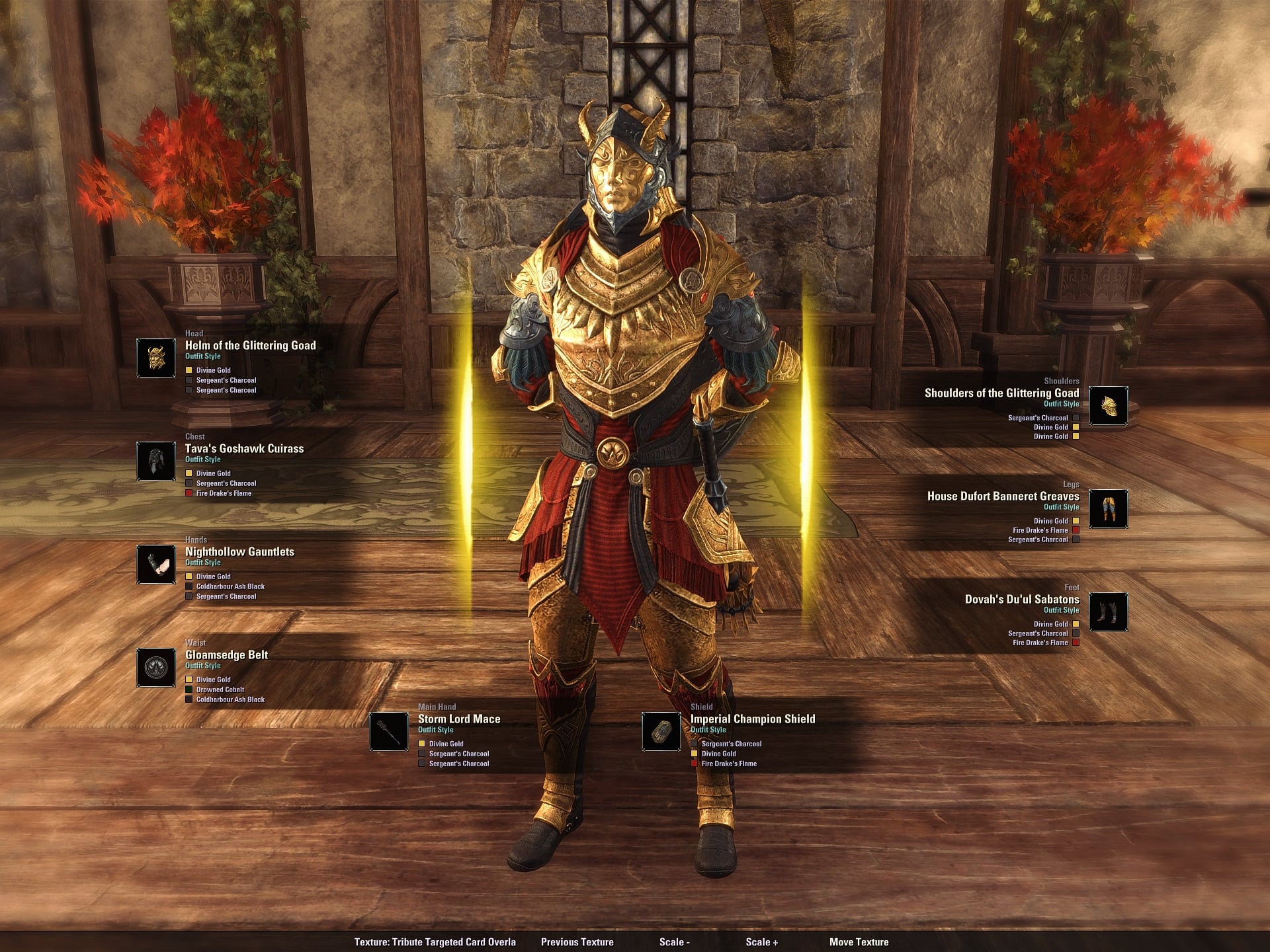
Vestige Mirror gives you a quick, easy look at your current outfit without making it feel like a chore. It shows your armor and weapon slots, the style or item behind each piece, and the dyes on them, all in one simple preview window.
It also includes a texture overlay system, so you can cycle through different visual backgrounds, resize them, and move them around until it looks right. If you just want a better way to check your look, or you like tweaking screenshots and outfit previews, this does the job without getting in the way.
Simple Guide
Open Vestige Mirror with your keybind or type /vm or /vestigemirror.
The window will show your current outfit and gear slots.
Use the bottom bar to switch textures:
Previous Texture
Texture name display
Scale –
Scale +
Move Texture
Click Move Texture to drag the overlay around.
Press Done Moving Texture when youre happy with the position.
Press Esc to close the texture move mode or exit the addon.







